

"A new version of Einstein for macOS, Window Intel, and Linux Intel. If ARM64 versions are needed, let me know.
The new version has some maintenance changes, new versions of newt/0 and FLTK, and updated build processes.
There are also two new features:
- a new menu item allows users to take a snapshot of the current screen. This is especially great for macOS where taking a screenshot cuts the lower left and right corner. The new method always captures the full screen image.
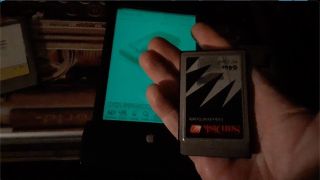
- Einstein now support ATA PC-Card images. To use those in NewtonOS, you must install Paul Guyot's ATA Driver first:
www.kallisys.com/
www.kallisys.com/files/newton/ATA/ATA-Support-1.0.…
In the Einstein Setting panel are new menus for integrating and creating ATA images into the Newton PCMCIA card list. You can create new cards of various sizes, and you can also mount existing ATA Card images. To do that, you need to take your card out of the Newton and put it into a PC Card or CF Card reader. Dump the entire card as a binary image (Einstein supports up to 128MB cards) onto your PC. Make sure that the filename of the image that you create ends with the letters ".ata" . Now you can use the Settings dialog to att that ATA image to your list.
The Einstein driver should connect Paul's ATA Software to the image file. You have full read and write access to the card image.
The reverse is true as well. If you mount the ATA image file in Einstein, and write data to it, the image will stay compatible. You can use the same PC Card reader to write the image back to the physical card, and the use the card in your MP2x00.
The dowload links are here:
github.com/pguyot/Einstein/releases/tag/v2026.9.21
Instructions are here:
github.com/pguyot/Einstein/wiki/ATA-Card-Images
- Matthias"
 Marisa Giancarla
Creating ATA PCMCIA card images for Einstein (Newton Emulator)
4 views
Uploaded by:
Marisa Giancarla
•
Category:
Newton
•
Added on
29 September 2026
Description
"A new version of Einstein for macOS, Window Intel, and Linux Intel. If ARM64 versions are needed, let me know.
The new version has some maintenance changes, new versions of newt/0 and FLTK, and updated build processes.
There are also two new features:
- a new menu item allows users to...
The new version has some maintenance changes, new versions of newt/0 and FLTK, and updated build processes.
There are also two new features:
- a new menu item allows users to...